
Then back to the keyboard. Then back to the mouse. Then back again.
And this is exactly where an incredible amount of time is wasted every day.
The mouse is often the biggest time-waster
In my DATEV training courses, I regularly observe this behaviour – even amongst experienced accountants with many years’ service who have been working with DATEV for a long time.
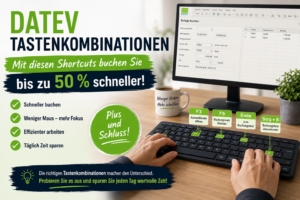
DATEV offers a wide range of useful keyboard shortcuts that allow you to complete many of the steps involved in posting documents much more quickly.
Of course, the figure of 50 % is not a scientific measurement. But based on my practical experience as a DATEV lecturer, I would say:
If you make a habit of using keyboard shortcuts, you can save a noticeable amount of time when making bookings – in many cases, a considerable amount.

Why keyboard shortcuts save so much time
Every time you reach for the mouse, it costs time:
- Take your hand off the keyboard
- Find the mouse
- Move the mouse
- select the correct field or icon
- click
- Hand back on the keyboard
That doesn’t sound like much. But when there are lots of booking entries every day, these little interruptions add up surprisingly quickly.
The most important DATEV shortcuts for posting documents
No one needs to learn all the keyboard shortcuts by heart straight away. It makes much more sense to start with the functions you need on a daily basis.
Useful DATEV keyboard shortcuts to get you started
- + Plus button – Once all the compulsory fields have been completed, the booking record is processed. My favourite: And that’s it.
- End – Jumps straight into the field Booking text, i.e. practically at the end of the accounting entry.
- F3 – Open the selection window for the account, contra account, cost centre, posting text or BU code.
- F5 – Delete the journal entry.
- F6 – Switch between the transaction line and the account view.
- F7 – Copy the booking field.
- F11 – Open Currency Conversion.
- Ctrl + B – Select the posting text or use the posting text constant.
- Ctrl + I – Enter additional information.
- Ctrl + O – Open additional OPOS information.
- Ctrl + W – Switch posting batches.
- Ctrl + S – Change the type of VAT.
You can find the full overview of the DATEV key assignments directly on the DATEV Knowledge Platform:
My top tip: just put the mouse down for a bit
My practical tip: Make a conscious effort to put your mouse away for 30 minutes.
Behind the monitor. In the drawer. Or at least a bit out of reach.
The first few minutes will probably be a bit slower. That’s perfectly normal. It’s just like touch typing: at first, you have to think about it consciously. After a short while, the movements become automatic.
And that is precisely when the real speed advantage comes into play.
Plus and minus – the most important rule to remember
You’ll pick up many keyboard shortcuts automatically over time. There’s one, however, that you should learn straight away:
And that’s it.
Once all the compulsory fields in a booking record have been completed, simply click the Plus button, and the accounting entry is finalised.
For me, the ‘Plus’ button is therefore one of the most valuable shortcuts in DATEV. It ensures a smooth workflow and saves valuable time, particularly when there are lots of entries every day.
Conclusion: DATEV works faster when your hands stay on the keyboard
DATEV offers far more keyboard shortcuts than many users realise.
If you use them consistently, you’ll work faster, with greater focus and with fewer interruptions to your workflow.
My suggestion: Start by selecting five to ten keyboard shortcuts from the DATEV overview, mark your favourites, and make a point of trying them out in your day-to-day work.
You might well find yourself wondering, after just a short while, why you used to have the mouse in your hand all the time.
In keeping with the theme
If you’d like to learn about DATEV not just in theory but also how to use it confidently in practice, you’ll find suitable courses here:
FAQ on DATEV keyboard shortcuts
Which keyboard shortcuts are particularly important in DATEV?
Particularly useful are the Plus key for finalising a journal entry, F3 for selection lists, F5 for deleting a journal entry, the End key for jumping to the journal entry text, and Ctrl + B for journal entry texts.
Can I work in DATEV entirely without a mouse?
Many bookkeeping tasks can be carried out largely using the keyboard. Those who have mastered the key DATEV keyboard shortcuts usually work much more efficiently.
Which DATEV keyboard shortcut saves the most time?
In my experience, the ‘Plus’ button is particularly useful. Once all the mandatory fields have been completed, the booking record can be processed straight away.
What’s the best way to learn DATEV shortcuts?
Start with a few keyboard shortcuts that you need every day. Use them consistently and expand your repertoire step by step.